





|
Name |
HaloVPN |
|---|---|
|
Google Play Link |
GET IT ON
Google Play
|
|
Category |
Tools |
|
Developer |
Halo Online |
| Last version | 20.2.0 |
|
Updated |
|
|
Compatible with |
Android 5.0+ |
What is HaloVPN APK?
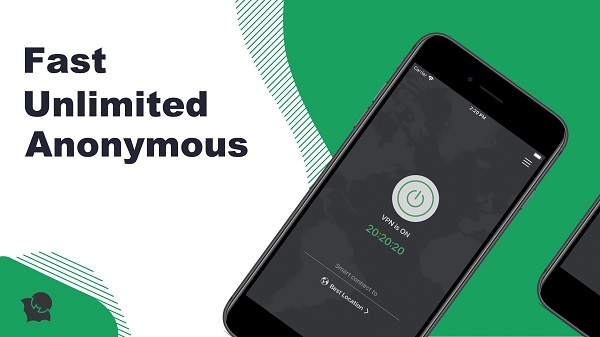
HaloVPN is a mobile utility tool designed for Android users who want a simple and secure way to protect their privacy online. Acting as a virtual private network (VPN), this app helps you stay anonymous by masking your IP address and routing your internet traffic through encrypted servers. It’s lightweight, user-friendly, and built to offer basic protection and unrestricted browsing for casual users.
This app is mainly used to bypass location-based restrictions on websites and apps. Whether you're trying to open a site blocked at school, access geo-restricted content, or just want extra security on public Wi-Fi, HaloVPN connects your device to nearby servers to create a safer and more private browsing environment.
One of its key features is the one-tap connection. With just a single click, the app secures your connection and encrypts your traffic. It automatically finds the nearest, most stable server to maintain fast browsing and streaming speeds. There’s also no limit on data usage or session time, which is especially useful for users who want continuous access without constantly reconnecting.
For people who prefer simplicity over advanced customization, HaloVPN does the job well. It doesn’t overload you with technical settings or complicated options. Just open the app, tap once, and your connection is secured. The interface is clean, making it easy for beginners to use without needing any prior knowledge of VPNs.
Still, there are some trade-offs. The free version limits you to a small number of server locations, and frequent ads — especially unskippable ones when disconnecting — can interrupt the user experience. Also, since the app collects some anonymized data, privacy-conscious users may want to review the privacy policy carefully.
HaloVPN suits users who need basic VPN services without the complexity of premium alternatives. It works best for casual browsing, school or work access issues, or when using public Wi-Fi. If you’re not looking for deep customization but just want quick protection, it’s a solid free option with minimal setup.
FAQs HaloVPN
What is HaloVPN?
+
HaloVPN is a free mobile VPN app for Android that helps mask your IP address, offering safer and more private internet browsing.
Is HaloVPN completely free to use?
+
Yes, the core version of HaloVPN is free and includes unlimited bandwidth and usage time, but you’ll need to watch ads and may get limited server access.
Does HaloVPN work with streaming platforms like Netflix or Disney+?
+
It can help bypass geo-restrictions, but streaming performance may vary and not all platforms may be accessible consistently through the free servers.
Is it safe to use HaloVPN on public Wi-Fi?
+
Yes, it adds a layer of encryption to your connection, making it safer when using unsecured networks like coffee shops or airports.
What are the main downsides of using HaloVPN?
+
Some users may find the ads annoying, there are fewer server options without premium access, and data collection practices may not satisfy privacy enthusiasts.
Discover More Interesting Apps
-
 Mod
Mod
InSave
v2.1.3
32.41 Mb
Updated -
Sophon
v1.0.60.1
67.42 Mb
Updated -
Happy Chick
v1.9.7
142.63 Mb
Updated -
Mod
DiskWala
v27.4
124.13 Mb
Updated -
Mod
Panda Gamepad Pro
v15.5
25.00 Mb
Updated -
Neon App
v2.15.1
117.17 Mb
Updated -
Flezen
v1.9.0
62.45 Mb
Updated -
Mod
yw player
v1.4.6
24.04 Mb
Updated -
Mod
DevCheck
v6.62
29.88 Mb
Updated -
Mod
AdGuard
v3.0.0
6.14 Mb
Updated










Share Your Thoughts